

VISITOR MANAGEMENT SYSTEM · BY RGX APPS
Visitor management.
Less chasing.
QR registration. Host decisions. Reception check-in. Keep the whole visit connected, from invitation to checkout.
No card at signup. Your own workplace, for 30 days.
Explore the visitor, reception, host and admin views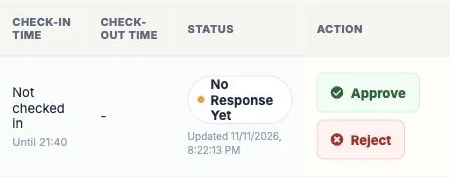
Approval gives permission. It doesn’t record physical arrival.
Keep the coffee.
Find your flow.
One guest. Four clear handoffs. Choose a step and follow Maya from her first hello to her final checkout.
A quick introduction.
Maya scans the workplace QR, fills in the required details and chooses the person she is meeting.
Want to try the visitor view on your phone?

A private example workplace. No real notifications.
Or open it here This is the demo QR. Your own workplace gets its own code.Your front desk,
with the full picture.
EntryPoint is a browser-based visitor management system. Register guests, request host approval, confirm arrival and record departure from one shared visitor record.
See each team’s workspaceAdministrator, receptionist and employee host — choose the view you need.
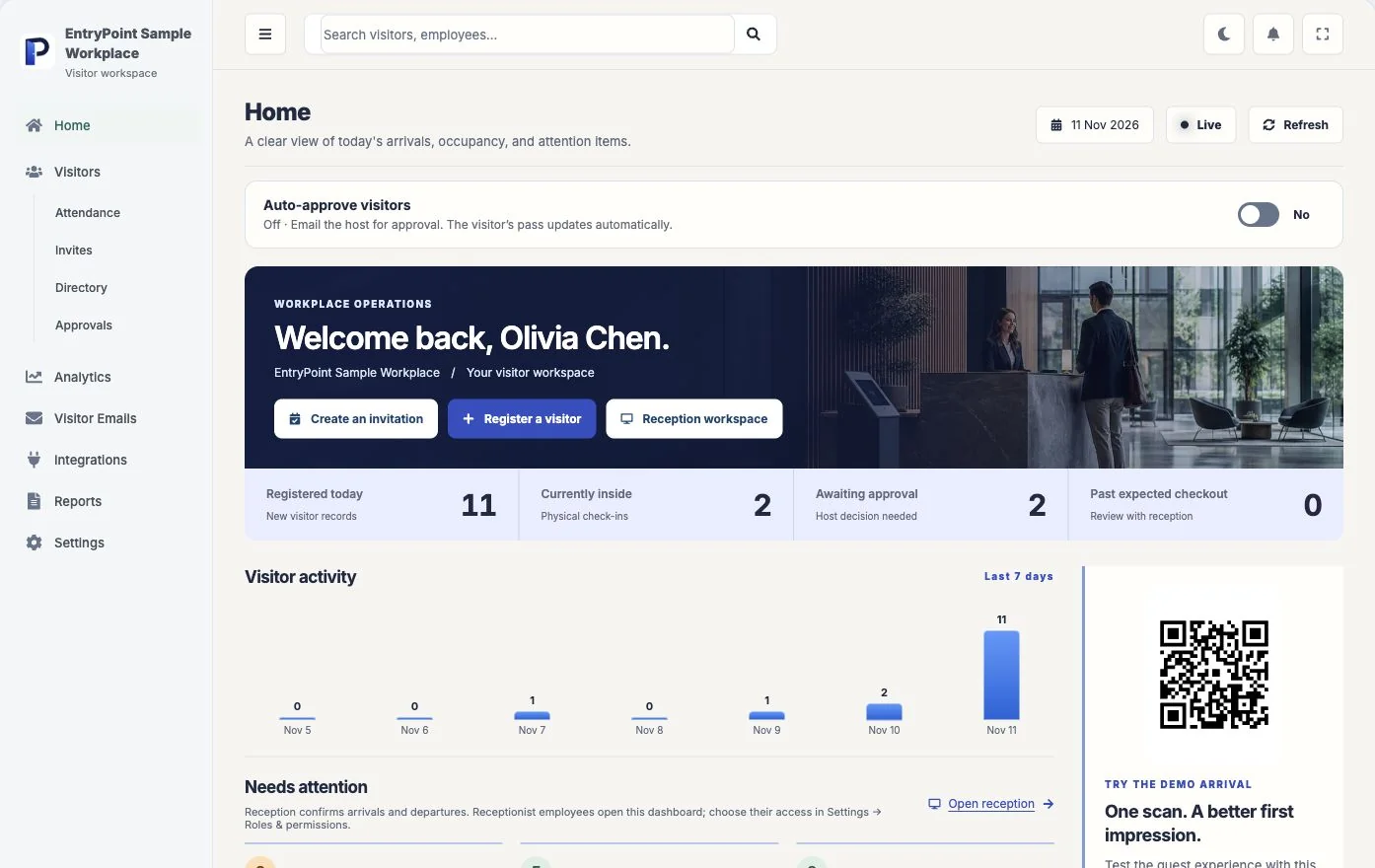
See recorded arrivals, people currently inside and requests that need attention. Keep your reception QR close at hand.
Example visits.
Explore example visitor reportsSee how requests, approvals and recorded arrivals tell different stories.
A busy workplace.
A clear picture.
Explore example visits from the interactive demo. Choose a status or visit type to see what it tells your team.
EXAMPLE VISITS · NOT CUSTOMER RESULTSWho is actually recorded inside?
An approved request is permission for a visit. The on-site category begins when arrival has been recorded. Look at those separately.
Explore real product reporting15 sample records shown. These are fictional visits for exploring the product, not live activity or customer results.
Scan. Approve. Welcome. The EntryPoint film.
The idea behind a calmer arrival. Watch the film, then see what it looks like in a working day.
Prakash
Machineries.
EntryPoint is part of their workplace visitor process. RGX Apps supplied the product, and the customer has shared a positive early response.
Read the authentic adoption story- What’s confirmed
- The customer is using EntryPoint.
- What comes next
- More rollout details can be shared when approved.
“We set up EntryPoint for our front desk last week, and the kiosk workflow is much smoother than the system we replaced. The approvals process was surprisingly quick to configure, making onboarding effortless.”
A clear welcome.
Wherever you work.
Set the host and reception handoffs that fit your site. Explore the office and factory workflows, or choose another workplace below.


Little details.
A better working day.
You’ve followed the core visit. Now choose the extra your team needs: a planned arrival, or a situation at reception.
Before the visit: open the invitationOptional preparation for an expected guest.
An expected guest.
A better beginning.
A planned visit shouldn’t start with “Who are you here to see?” Prepare an invitation, then use EntryPoint’s lookup when your guest arrives.
- 01Prepare the visit.
Keep the guest, host and visit window together.
- 02Find the invitation.
Use the supported invitation code or registered-email lookup.
- 03Welcome the person.
Reception still confirms the actual arrival.
Bring the invitation details to reception. An invitation helps the team find the planned visit; it doesn’t record that you are inside.
At the desk: ring for a situationA busy host, an invitation, a delivery or a goodbye.
And when the day
goes off-script?
Try a situation your front desk knows. See the next useful step, then explore it in EntryPoint.
“My host is in a meeting.”
A submitted request isn’t a reason to wave someone through.
- Find the visitor’s request in reception.
- When approval is required, wait for the authorised host decision.
- Confirm physical arrival separately when the guest is admitted.
Field notes.
For the front desk.
Find an idea for the part of your working day you want to improve. Practical reading, with something to try afterwards.
Browse every guideGood questions.
Clear answers.
Have a question about your workplace?
Talk to us at info@rgxapps.com.
What is EntryPoint?
EntryPoint by RGX Apps is browser-based visitor management software. It connects digital registration, host approvals, reception-confirmed check-in, checkout and searchable visit records from one shared visitor record.
Do visitors need to download an app?
No. Visitors can scan your workplace QR or open its visitor link on their phone. Your reception team can also use the workplace kiosk flow.
Does host approval automatically check a visitor in?
No. Approval is permission for the visit. Reception separately confirms the physical arrival. Checkout records the departure. Your administrator can configure approval rules for new requests.
Can we try it before deciding?
Eligible new workspaces can start a 30-day free trial without entering a payment card or being charged automatically at signup. Add your hosts, configure reception and complete a visitor journey before deciding.
Can I explore EntryPoint without signing up?
Yes. The public interactive demo lets you explore visitor, reception, host and administrator views using fictional example visits. It does not send real notifications or change customer records.
What should we check before going live?
Test your QR on an actual phone, check host notification delivery, review staff permissions and complete check-in and checkout. Email and SMS delivery depend on your configured providers. We can walk through your requirements in a demo.
Your front desk.
Your point of view.
Tell us what works, what feels unclear or what your reception team needs. Your feedback goes privately to info@rgxapps.com.
Feedback isn’t published as a review automatically. Please leave out visitor records or other sensitive information.
Want to see it together? Book a DemoBring us
your busiest day.
A waiting guest. An unavailable host. A busy gate. Bring the situations your team handles; let’s walk through them together.